Where to Make IRS tax Payments (Business)

Three black filled circles, one small and two longer, stacked horizontally.

How to make FED tax payment to IRS 

Step 1

Open Website

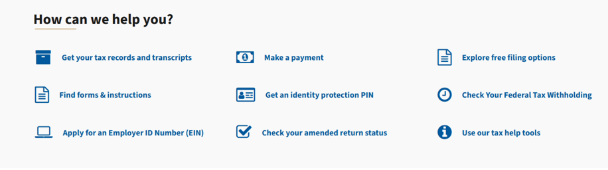
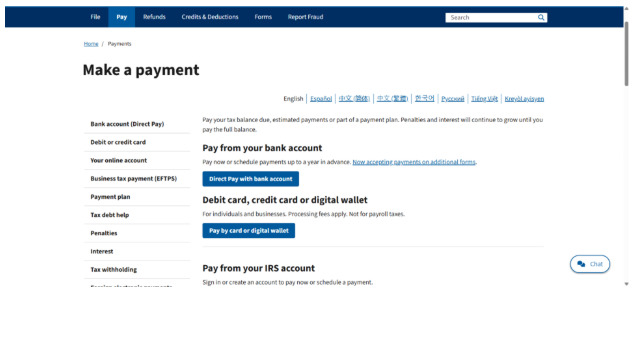
  • Go to: IRS Direct Pay 
  • Click on “Make a Payment” 

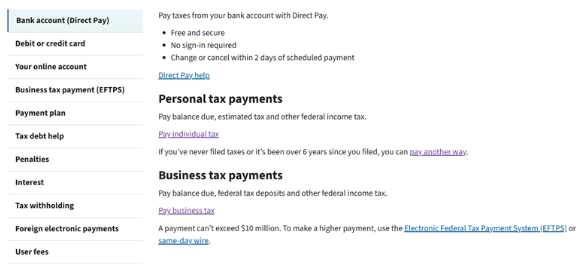
Click on “Direct Pay with bank account”

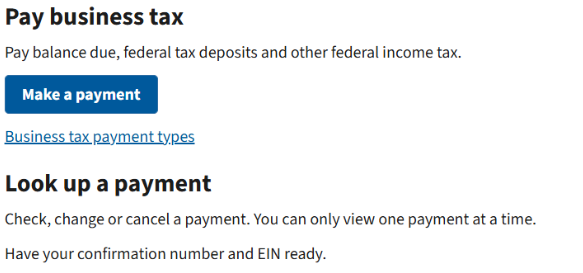
Click on “Pay business tax”

Click on “Make a payment” 

Step 2

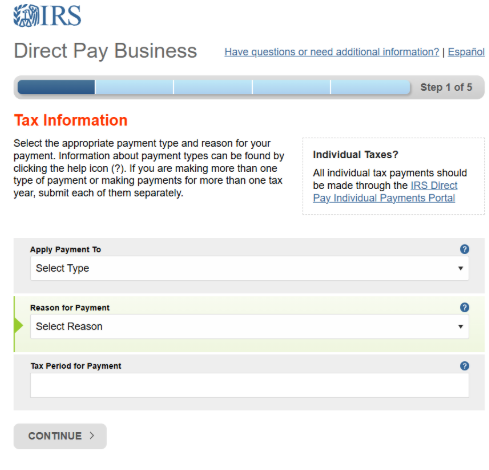
Select Payment Details

  • Reason for Payment → Balance Due / Estimated Tax 
  • Apply Payment To → 1120 / 1065 / 941 etc. 
  • Tax Year → Select relevant year 
Step 3

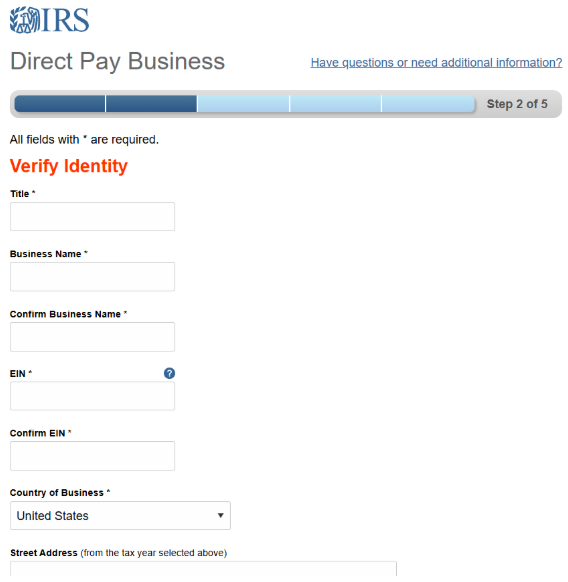
Verify Identity

  • Enter: 
  • Title 
  • Business Name
  • EIN 
  • Address (as per last return)
Step 4

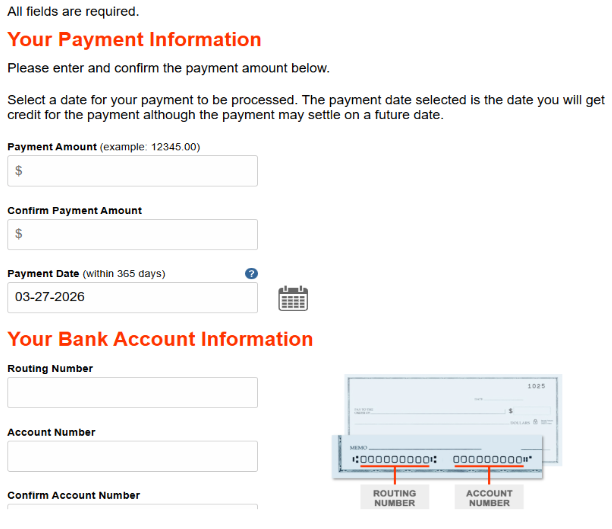
Make / Schedule Payment

  • Select payment date (Schedule)
  • Bank Account Number 
  • Routing Number 
  • Payment Amount 
  • Payment Date
STEP 5

Review & Submit

  • Verify all details 
  • Submit payment 
STEP 6

Save Confirmation

  • Save confirmation number 
  • Download / screenshot receipt

March 15

  • S-Corp and Partnership returns due (Forms 1120-S, 1065)
  • Deadline to file S-Corp election (Form 2553) for new entities
  • Extension deadline for S-Corps and Part

April 15

  • Individual tax returns due (Form 1040)
  • C-Corp returns due (Form 1120)
  • Q1 estimated tax payments due
  • Extension deadline for individuals and C-Corps

June 17

  • Q2 estimated tax payments due

September 16

  • Extended S-Corp and Partnership returns due
  • Q3 estimated tax payments due

December 31

  • Deadline for tax-saving moves (retirement contributions, purchases, etc.)
  • Final payroll processing for calendar-year businesses
Contact sales

We’d love to see how we can streamline your hiring together.

Request a demo
Black heart on a white background.
Contact sales

We’d love to see how we can streamline your hiring together.

Request a demo
Black heart on white background.
Contact sales

We’d love to see how we can streamline your hiring together.

Request a demo
Black heart on a white background.