
How to make FED tax payment to IRS
Step 1: Open Website
- Go to: IRS Direct Pay
- Click on “Make a Payment”
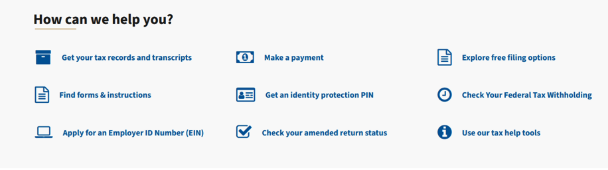
Click on “Direct Pay with bank account”
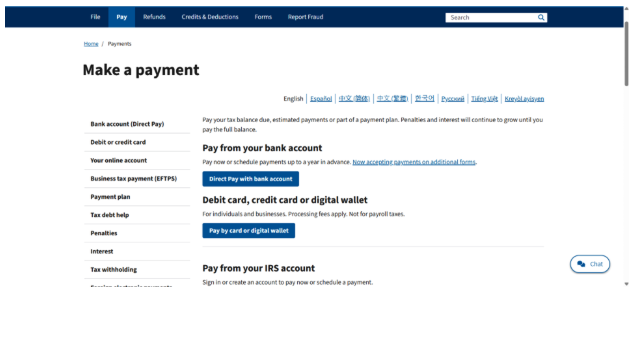
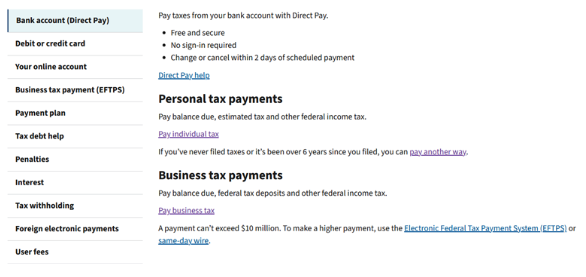
Click on “Pay business tax”
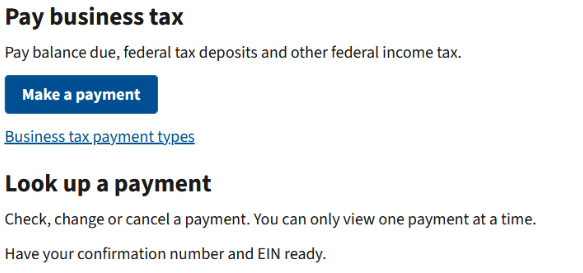
Click on “Make a payment”
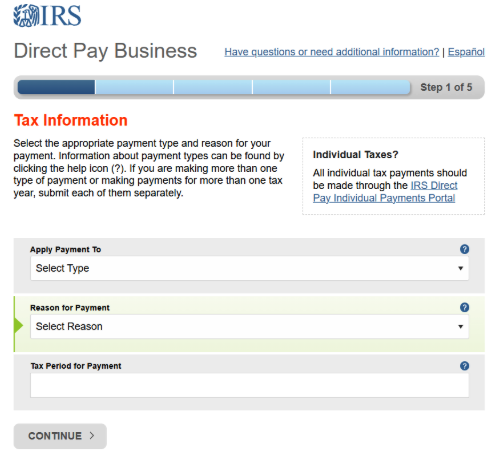
Step 2: Select Payment Details
- Reason for Payment → Balance Due / Estimated Tax
- Apply Payment To → 1120 / 1065 / 941 etc.
- Tax Year → Select relevant year
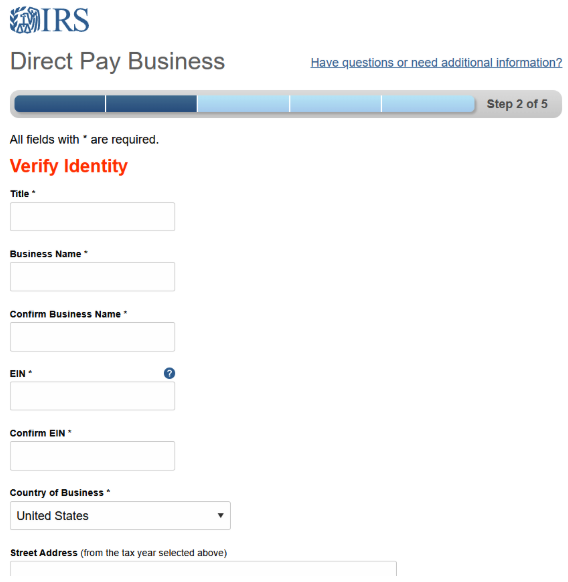
Step 3: Verify Identity
- Enter:
- Title
- Business Name
- EIN
- Address (as per last return)
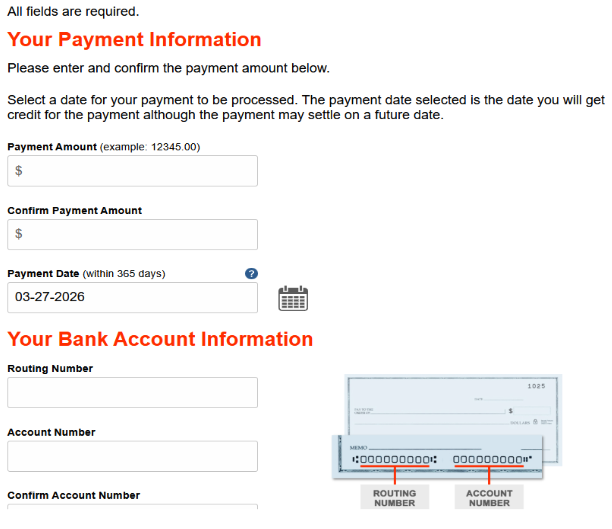
Step 4: Make / Schedule Payment
- Select payment date (Schedule)
- Bank Account Number
- Routing Number
- Payment Amount
- Payment Date
Step 5: Review & Submit
- Verify all details
- Submit payment
Step 6: Save Confirmation
- Save confirmation number
- Download / screenshot receipt
How to make FED tax payment to IRS
IRS Direct Pay (For Individuals)
Step 1: Open Website
- Go to: IRS Direct Pay
- Click on “Make a Payment”
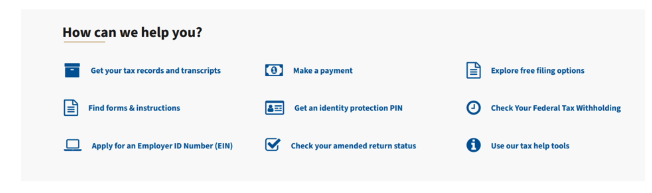
- Click on “Direct Pay with bank account”
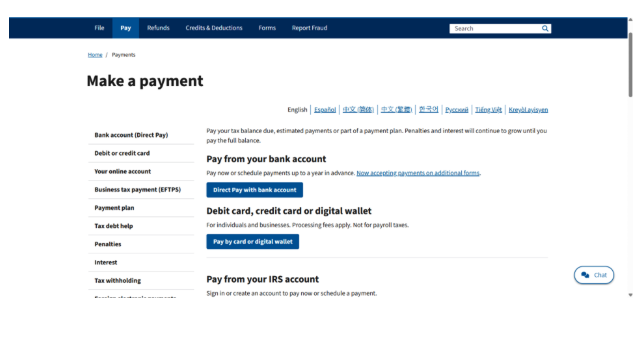
Click on “Pay individual tax”
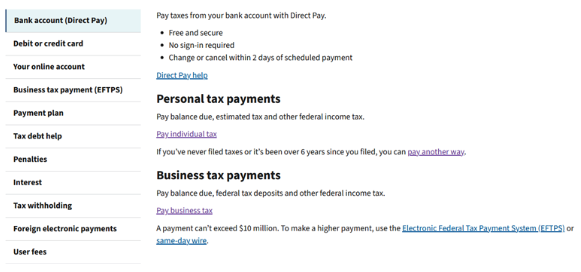
Click on “Make a payment”
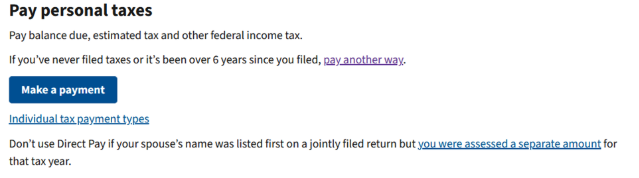
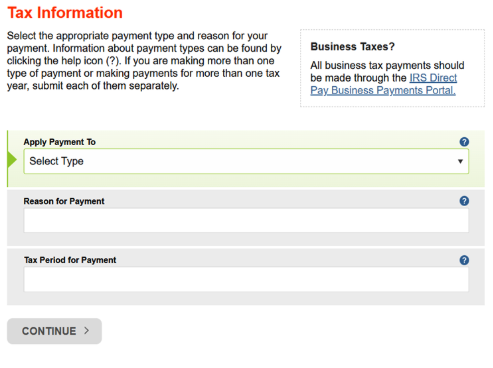
Step 2: Select Payment Details
- Reason for Payment → Balance Due / Estimated Tax
- Apply Payment To → 1040
- Tax Year → Select relevant year
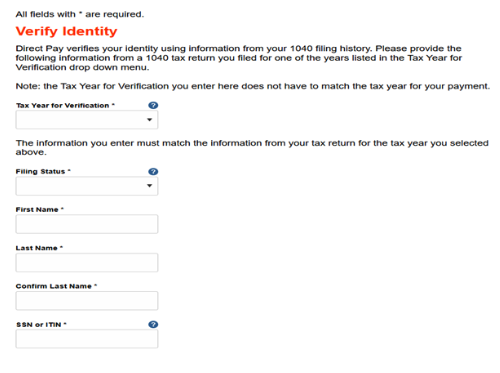
Step 3: Verify Identity
- Enter:
- SSN
- Date of Birth
- Filing Status
- Address (as per last return)
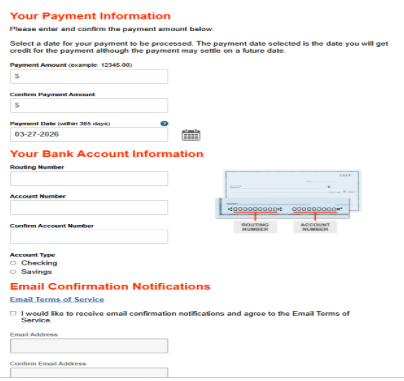
Step 4: Enter Payment Details
- Bank Account Number
- Routing Number
- Payment Amount
- Payment Date
Step 5: Review & Submit
- Verify all details carefully
- Click Submit Payment
Step 6: Confirmation
- Save confirmation number
- Download / screenshot receipt