CalSavers Exemption — Employer With a 401(k)
Who Qualifies
An employer is exempt from CalSavers if they offer a qualified 401(k) plan to employees.
This includes:
- Traditional 401(k)
- Safe Harbor 401(k)
- Solo 401(k) only if there are no eligible non-owner employees
Step-by-Step: Claiming the Exemption
Step 1: Confirm the 401(k) Is Active
- Plan must be currently active
- Employees must be eligible to participate under the plan terms
- A terminated or frozen plan does not qualify
Step 2: Log In to CalSavers
Go to:
https://employer.calsavers.com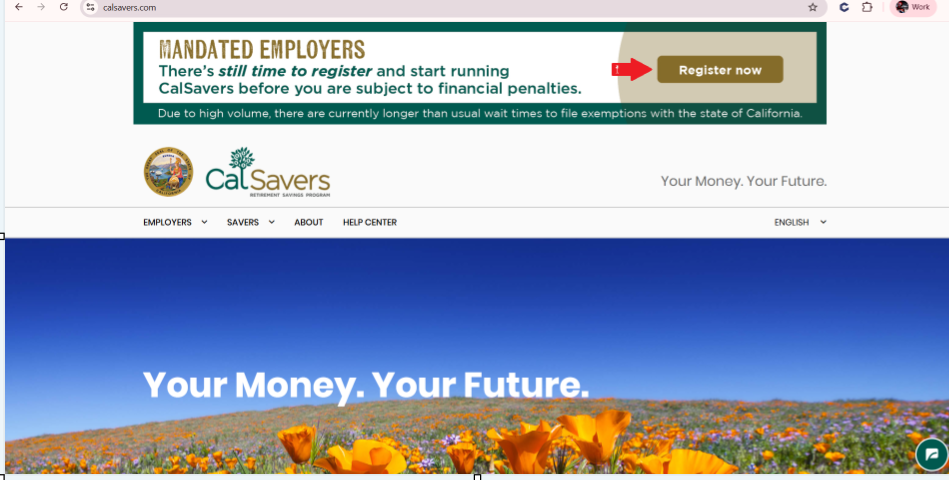
Log in or register using:
- Legal business name
- EIN
- California payroll info
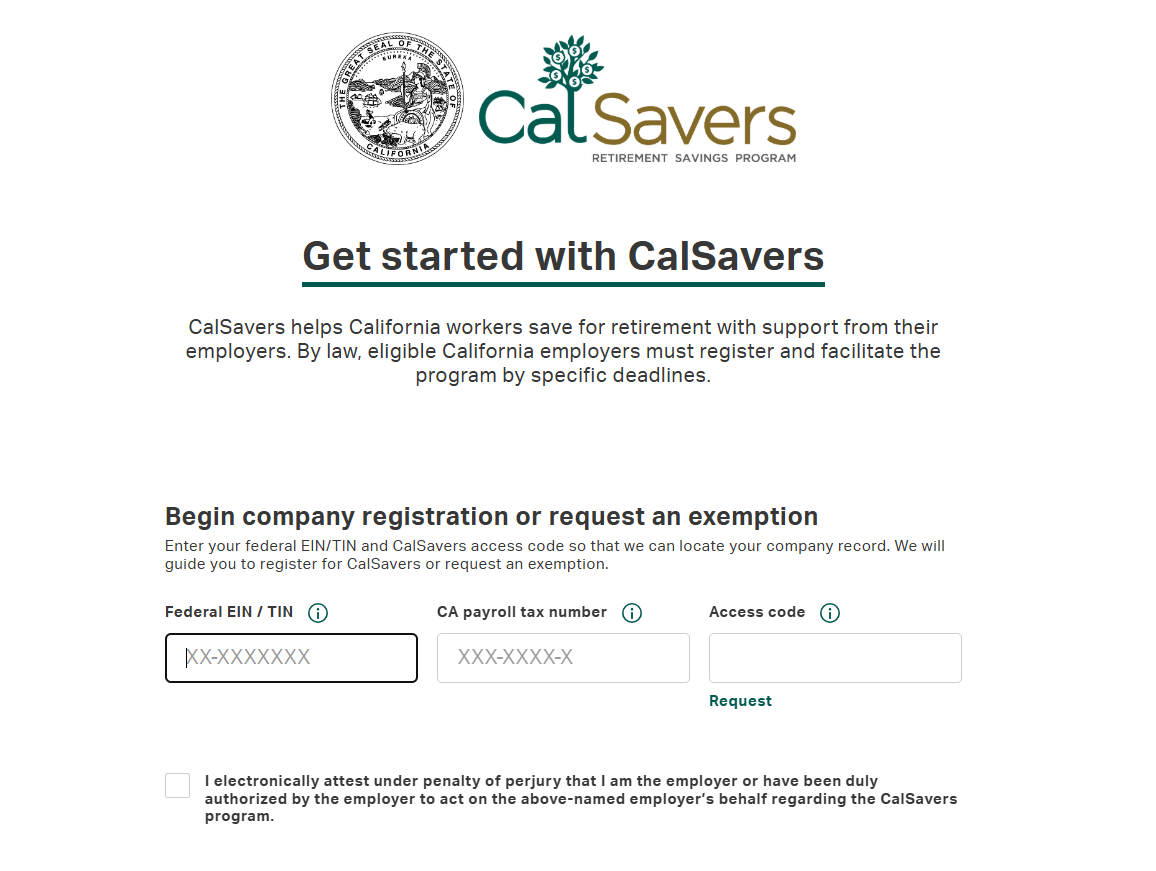
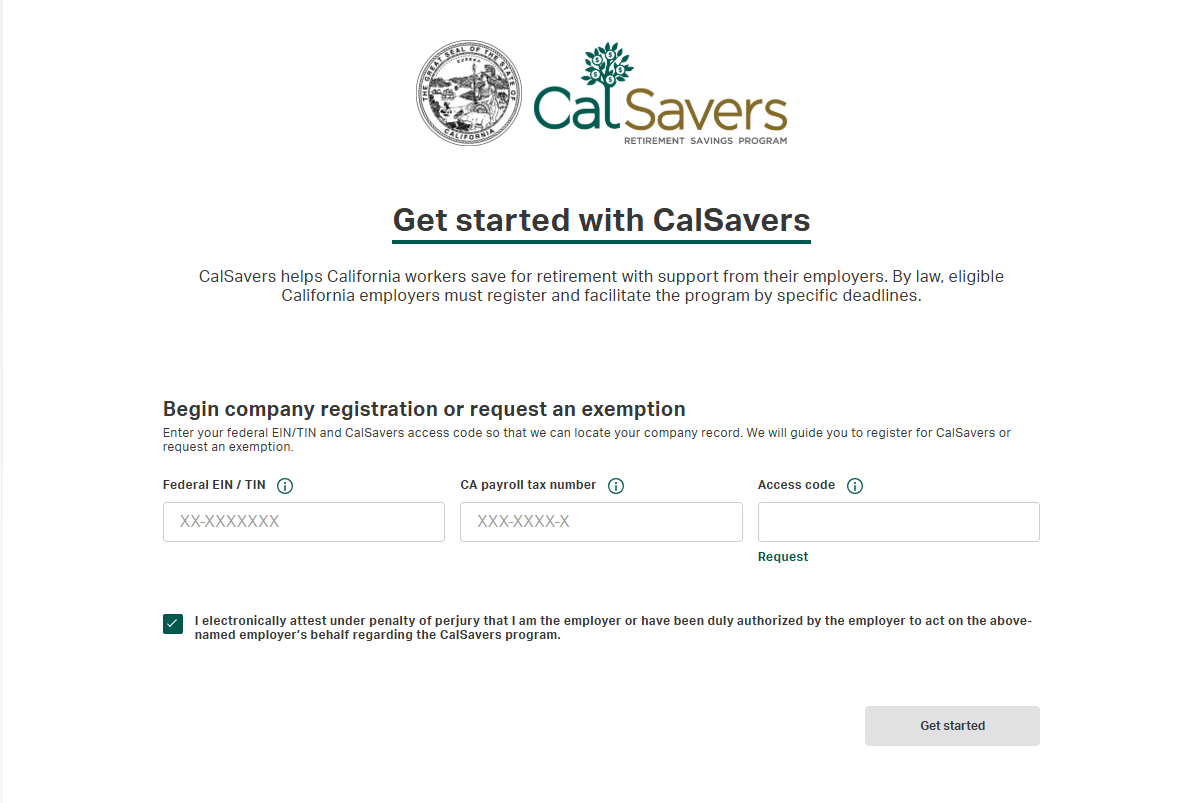
Enter EIN, CA payroll tax number and hit “Request” to get a code.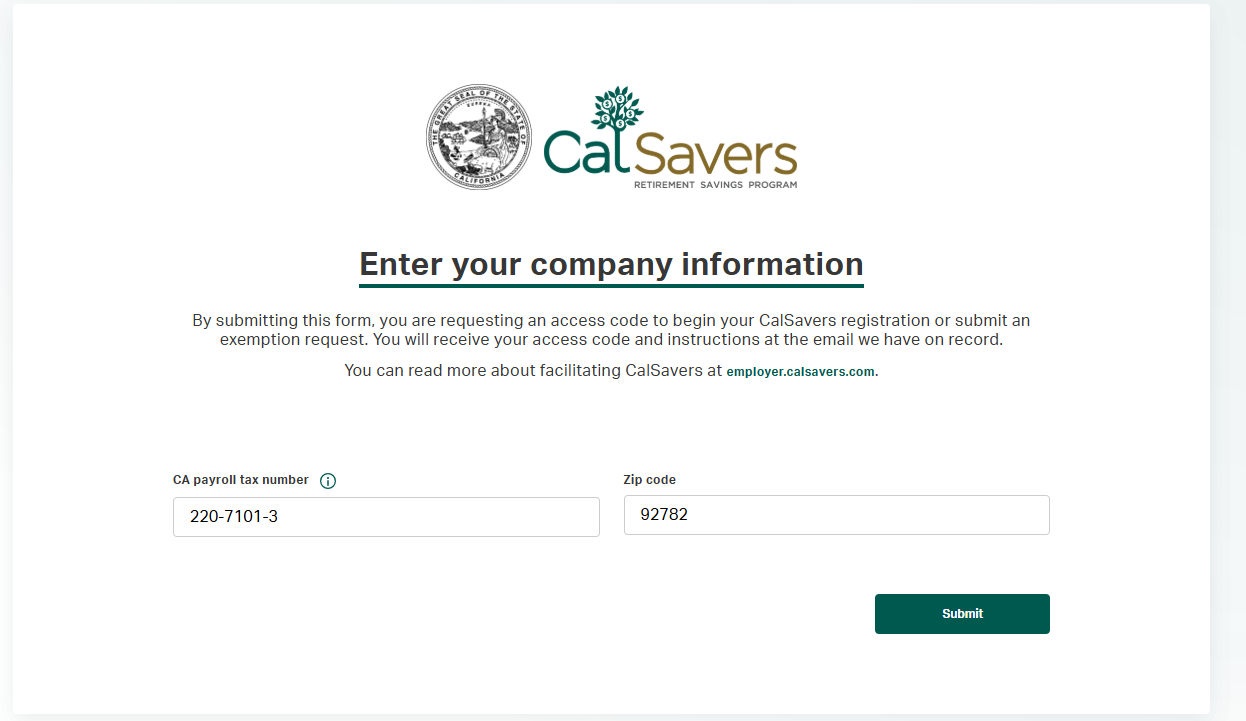
Enter the information being asked and hit submit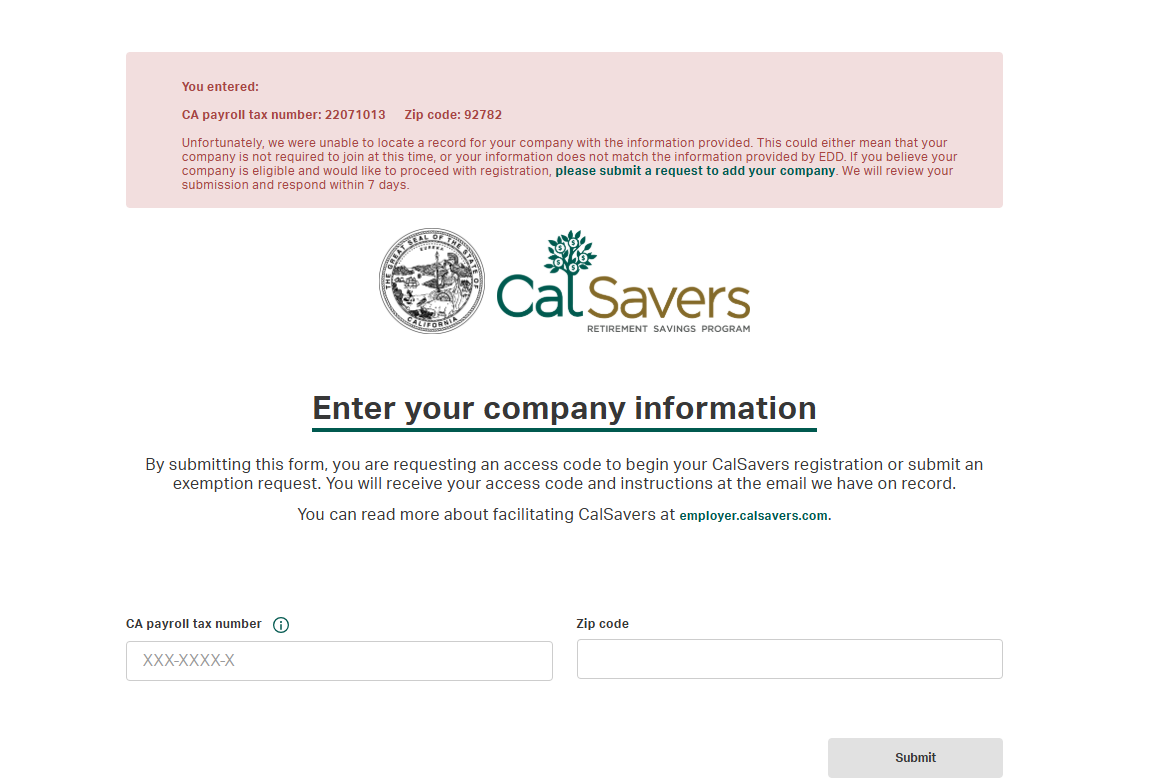
If this error appears please give call to Calsavers to get an access code
-
- Note
:
- See formations documents or previous years Tax return for Federal EIN/TIN
- Note
:
- For Gusto
- For CA Payroll tax number go to Gusto → Switch company → Tax & Compliance → Tax Setup
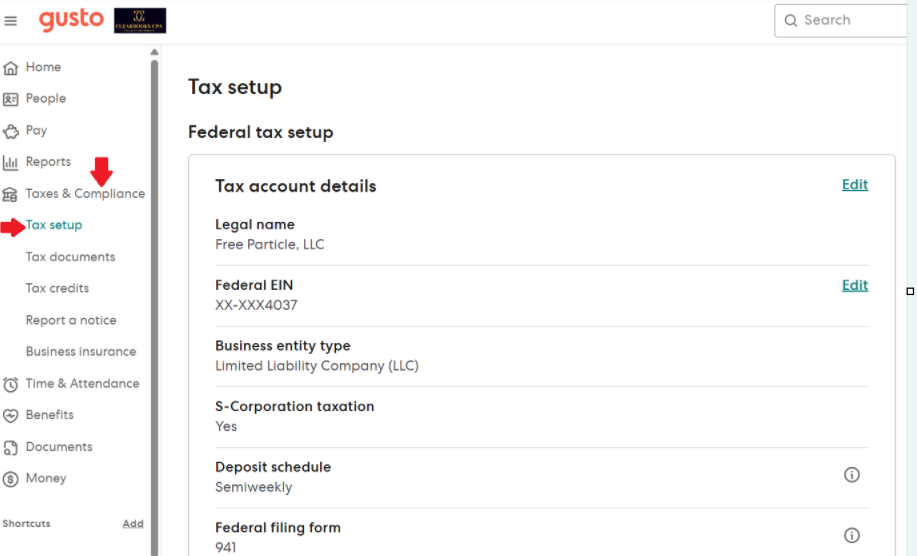
Scroll down to “EDD Account Number” which is CA payroll tax number in Calsavers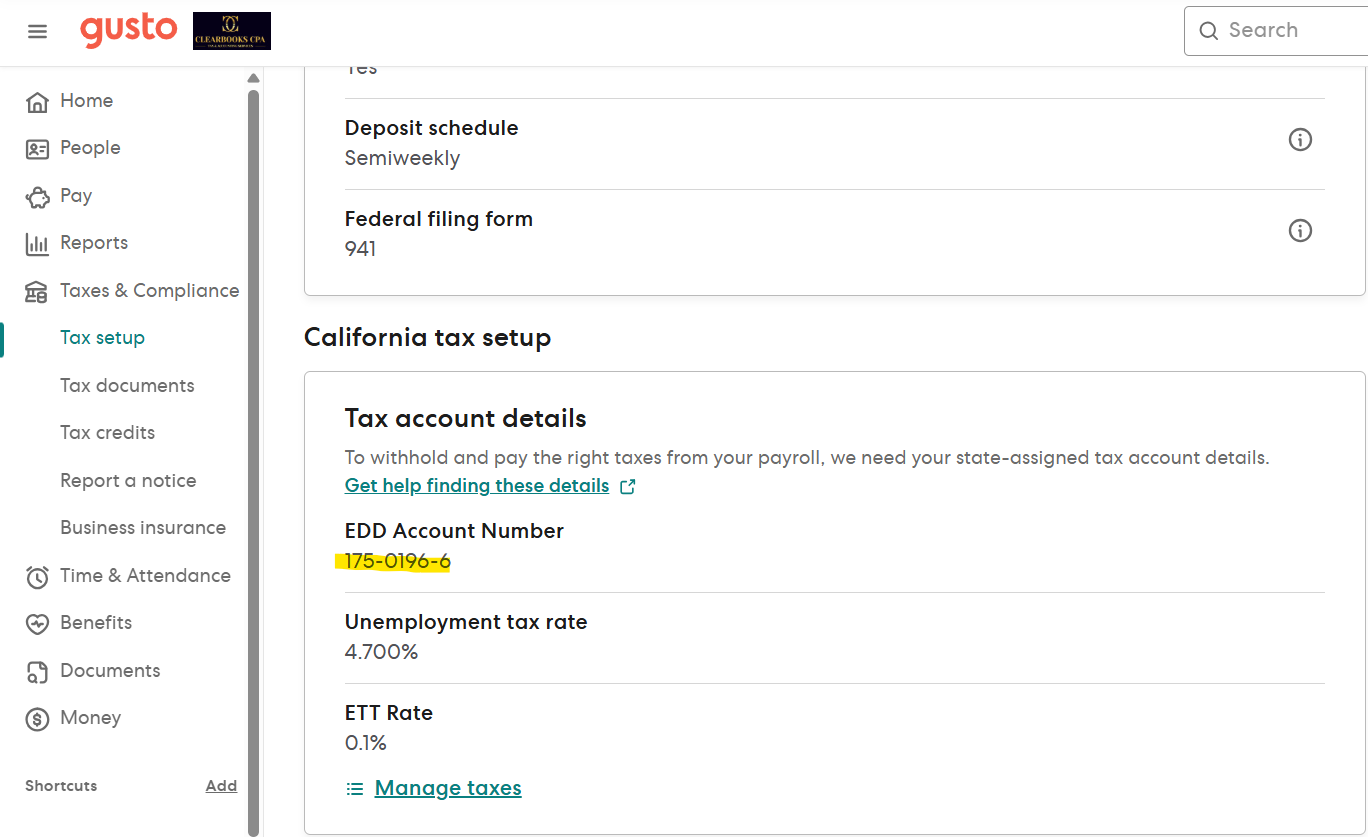
- For ADP:
- Log in to ADP → Select company → Taxes → Federal,state, and local tax profile
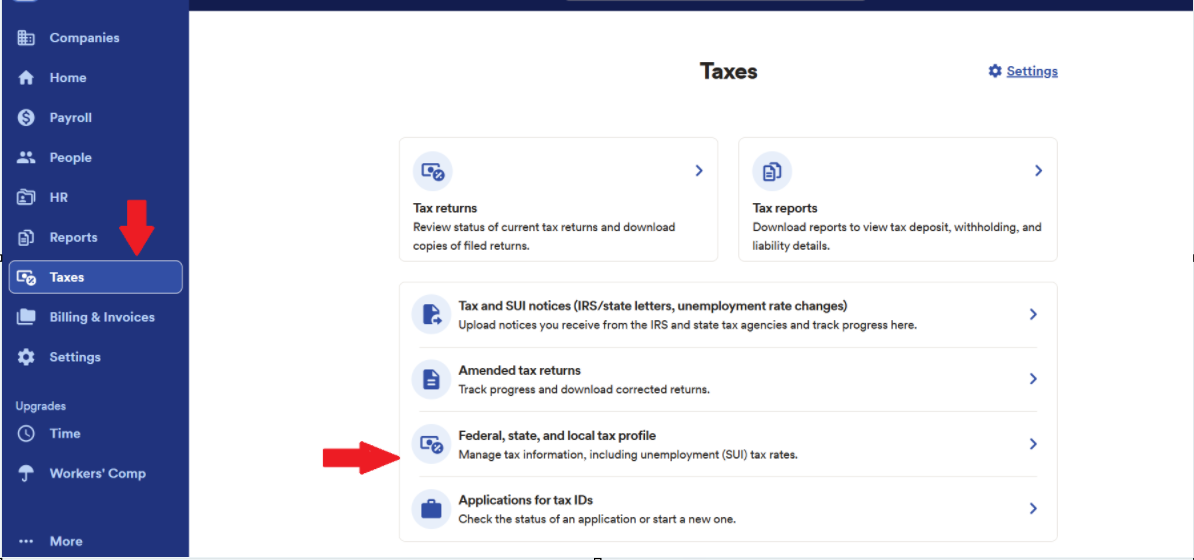
Within Federal,state, and local tax profile → California → State Income Tax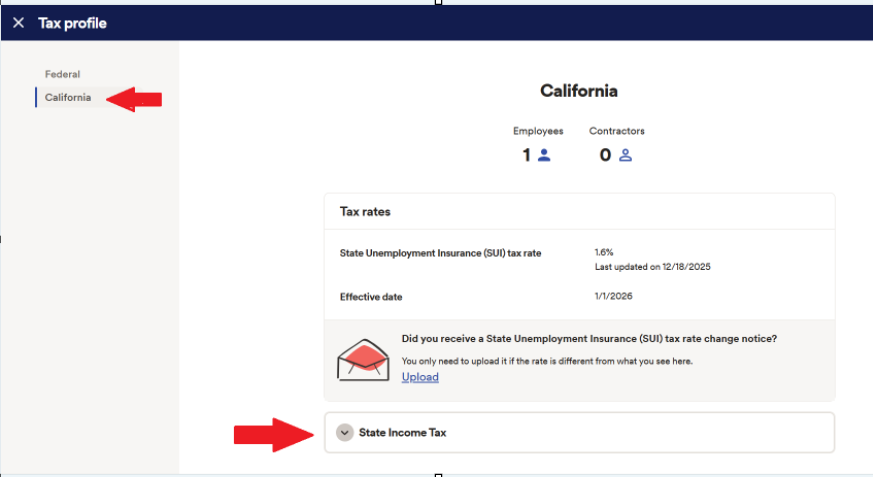
Note : Calsavers requires 8 Digit CA payroll tax number and Employer Payroll Tax Account Number is 7 digits, for last digit use “check digit” for ADP.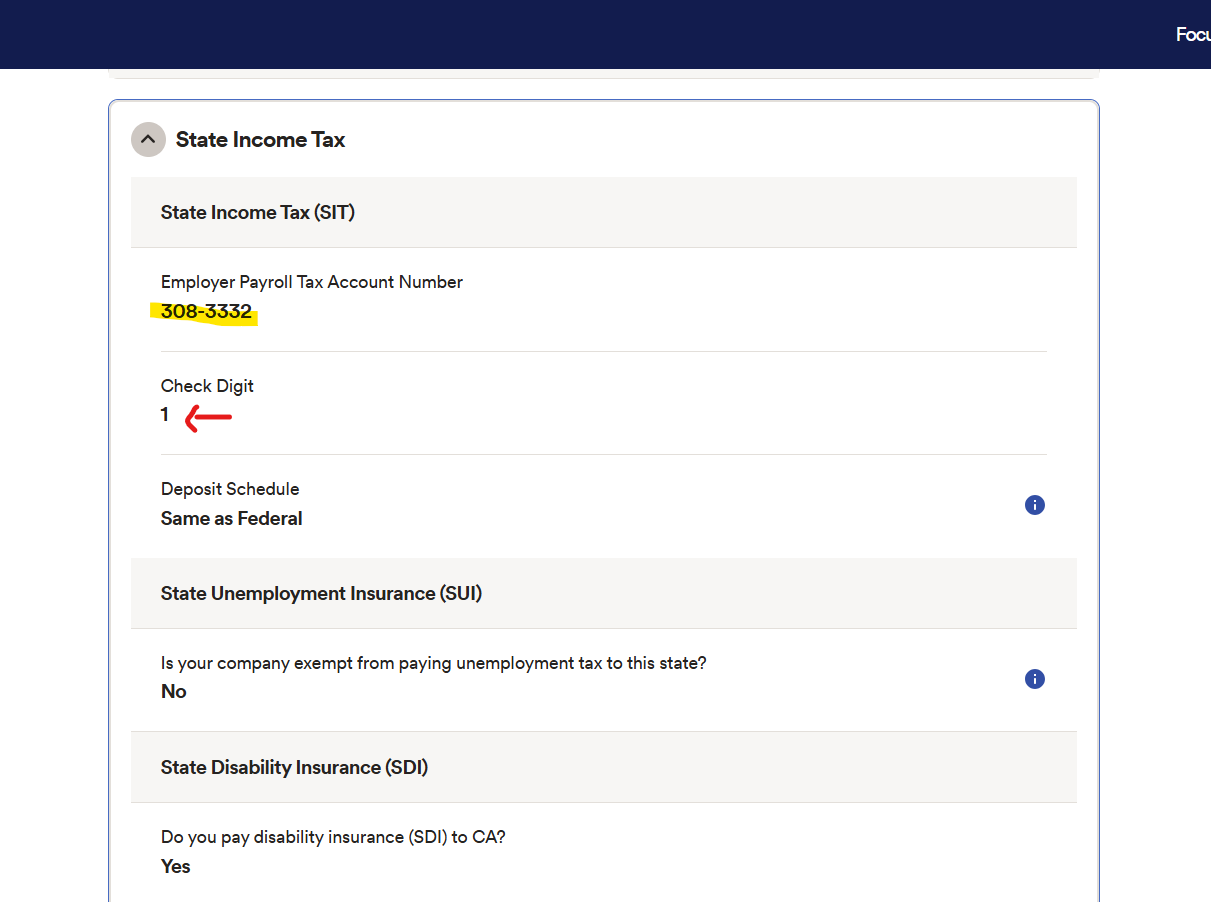
- Log in to ADP → Select company → Taxes → Federal,state, and local tax profile
Step 3: Claim Exemption
From the employer dashboard:
- Select “Claim Exemption”
- Choose “I already offer a qualified retirement plan”
- Select 401(k)
from the plan type list
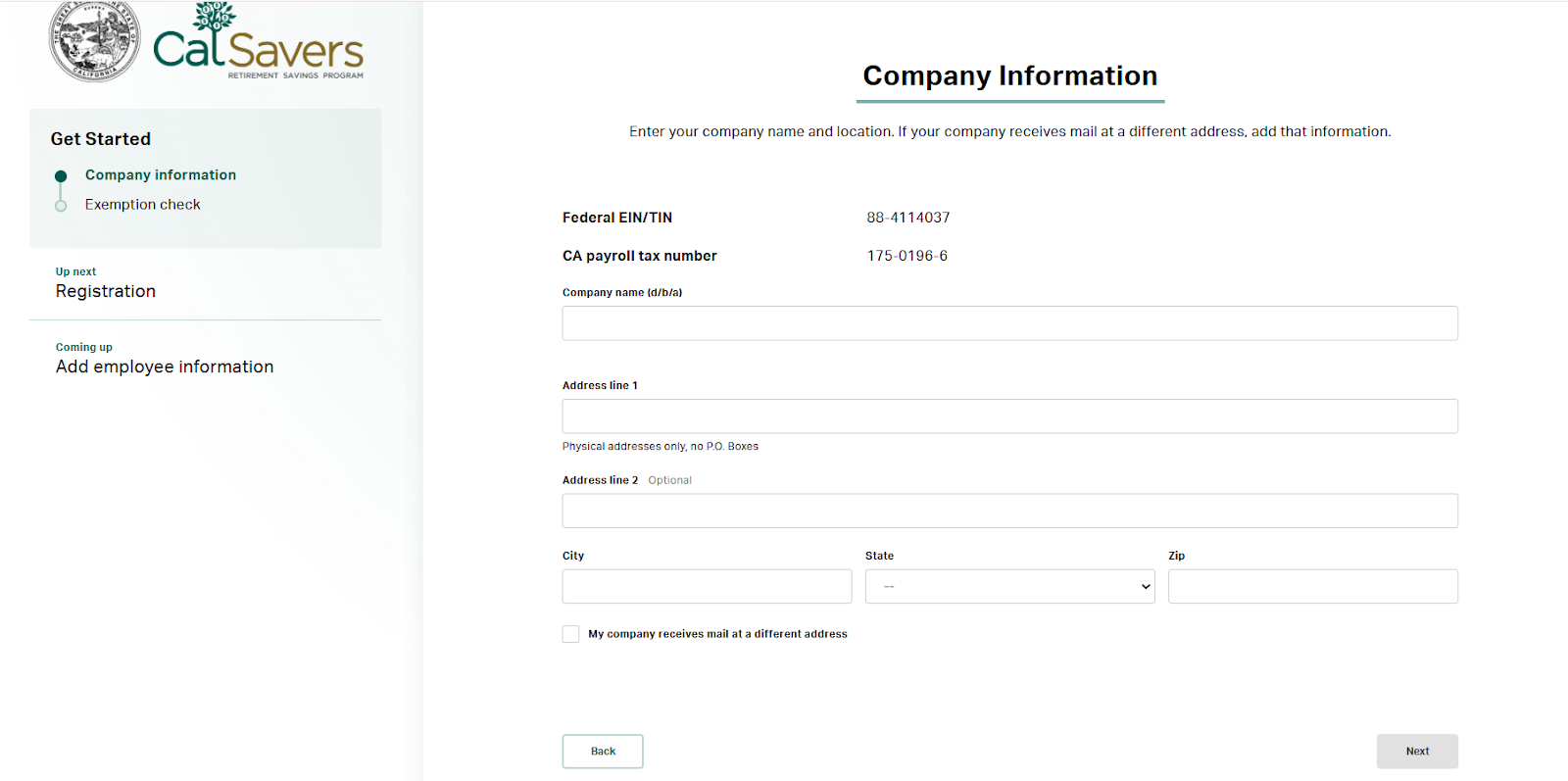
Fill out the Company Information and hit Next-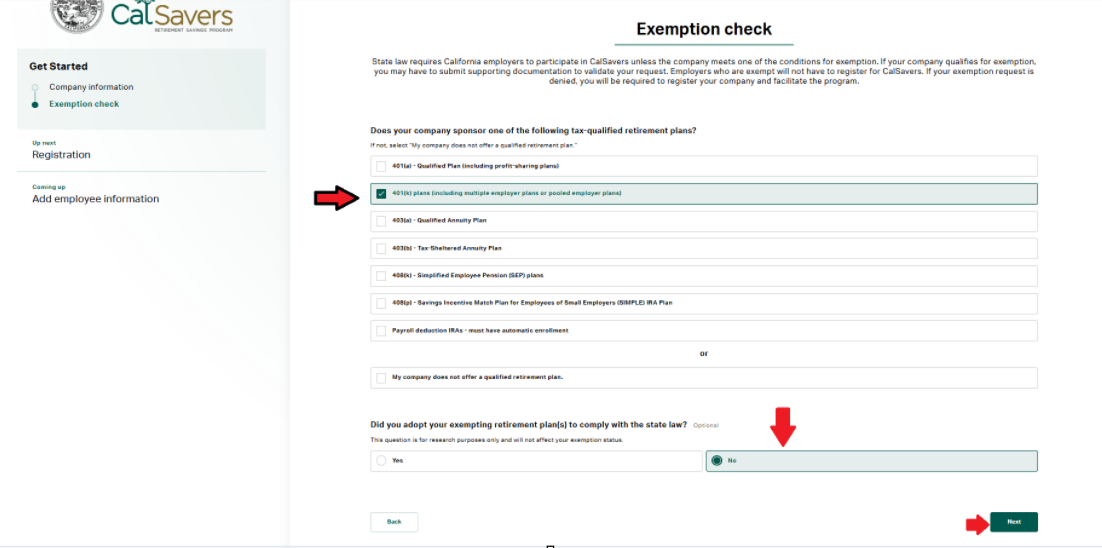
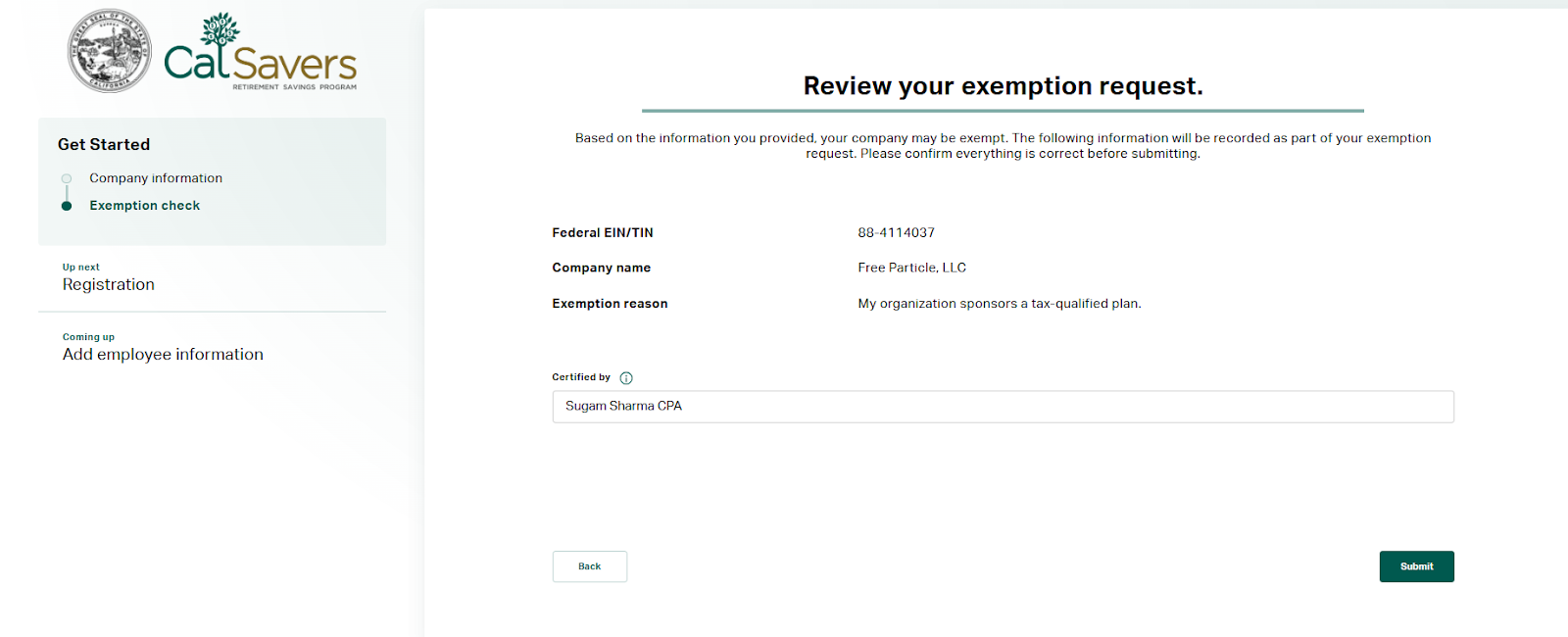
Fill out the representative’s name and hit Submit
Step 4: Certify and Submit
- Certify the information is accurate
- Submit the exemption
- Save confirmation (email or screenshot)
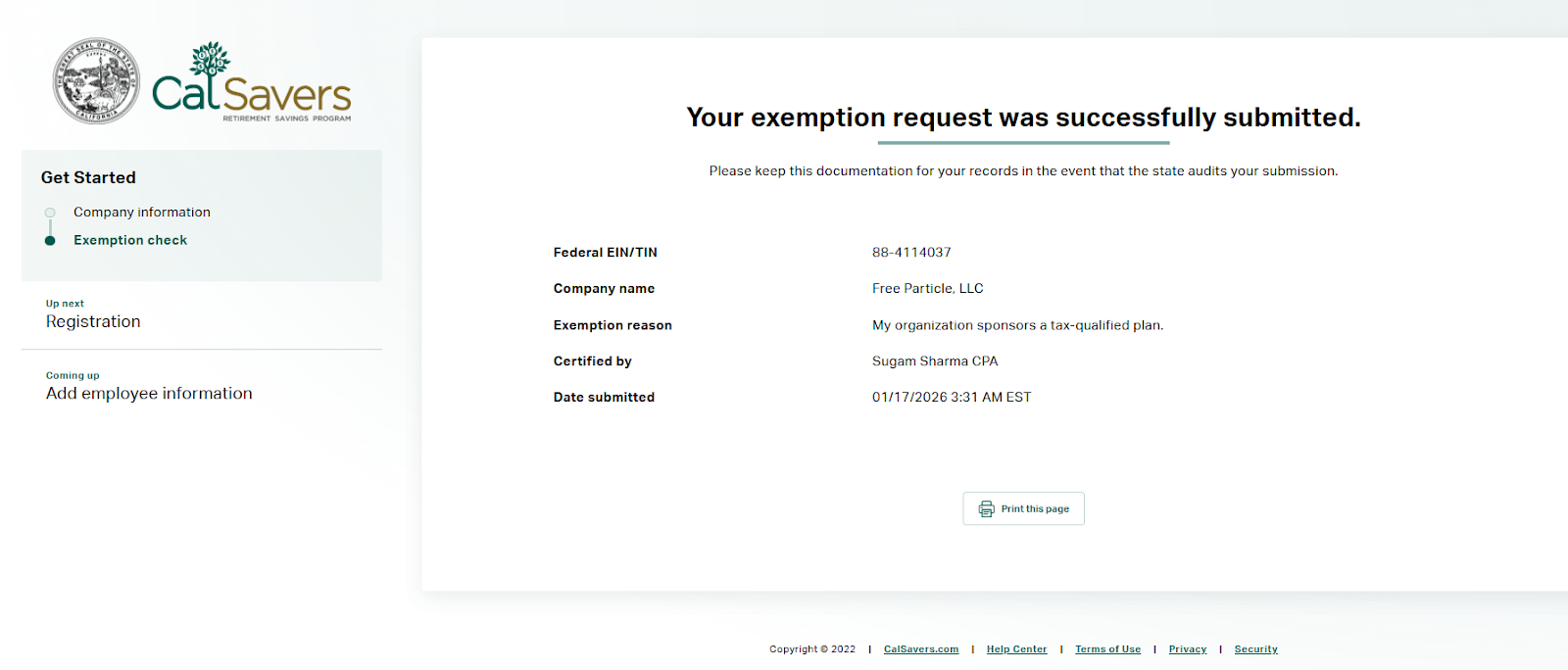
- Print or save a PDF copy of the completed CalSavers 401(k) exemption confirmation page.
- Upload the confirmation to the client’s respective Google Drive folder (Compliance / Retirement or equivalent).
- Ensure the file name clearly reflects the exemption (e.g., CalSavers 401(k) Exemption Confirmation – YYYY-MM-DD).
- Send an update/confirmation email to the client.
- Include and attach (or hyperlink) the 401(k) exemption certificate/confirmation link in the email for the client’s records.