
Steps: (Example)
1. Go to https://www.ftb.ca.gov/pay/bank-account/index.asp
and click on ‘WebPay Business’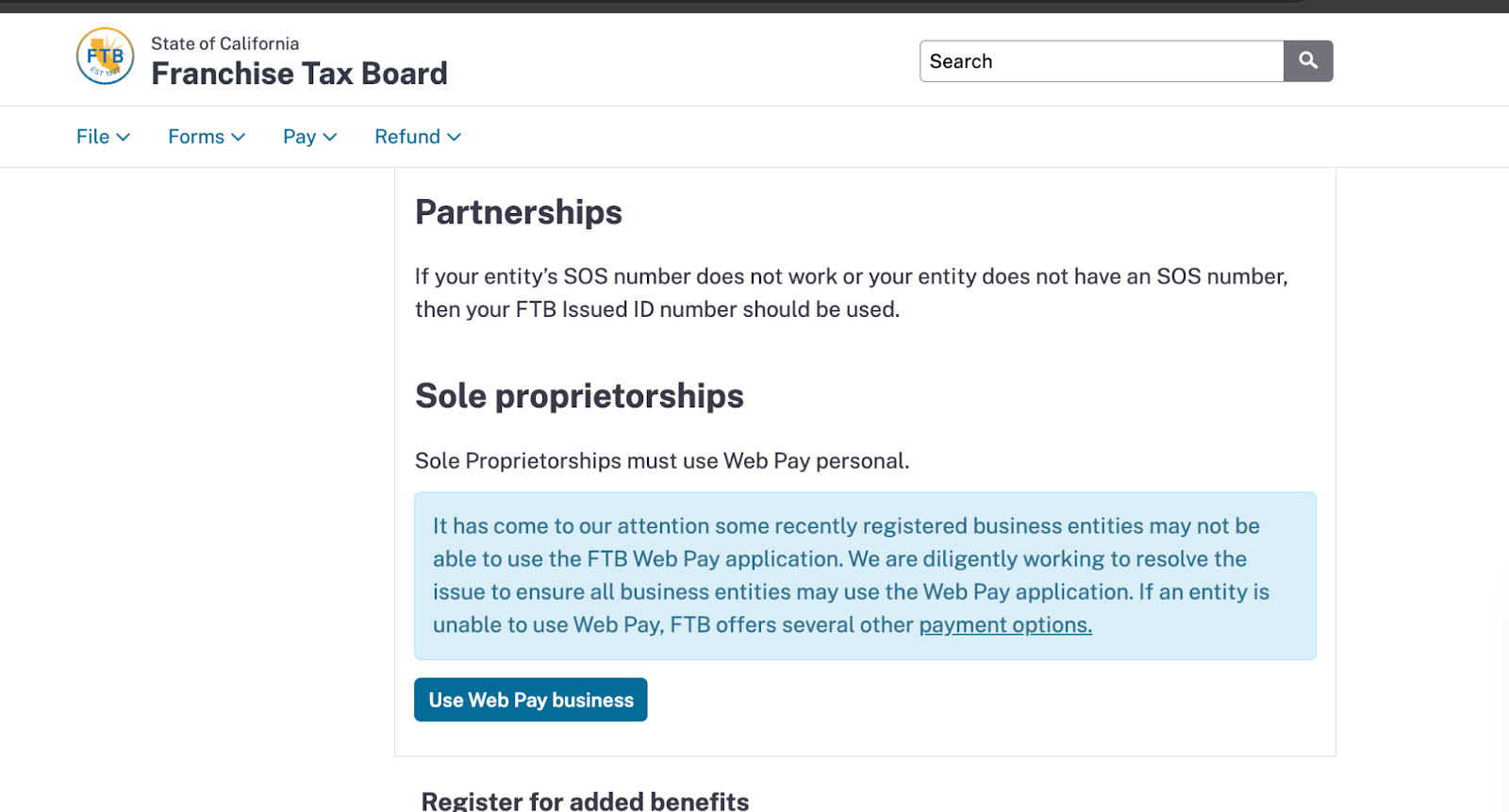
2. Enter information from Secretary Search here https://bizfileonline.sos.ca.gov/search/business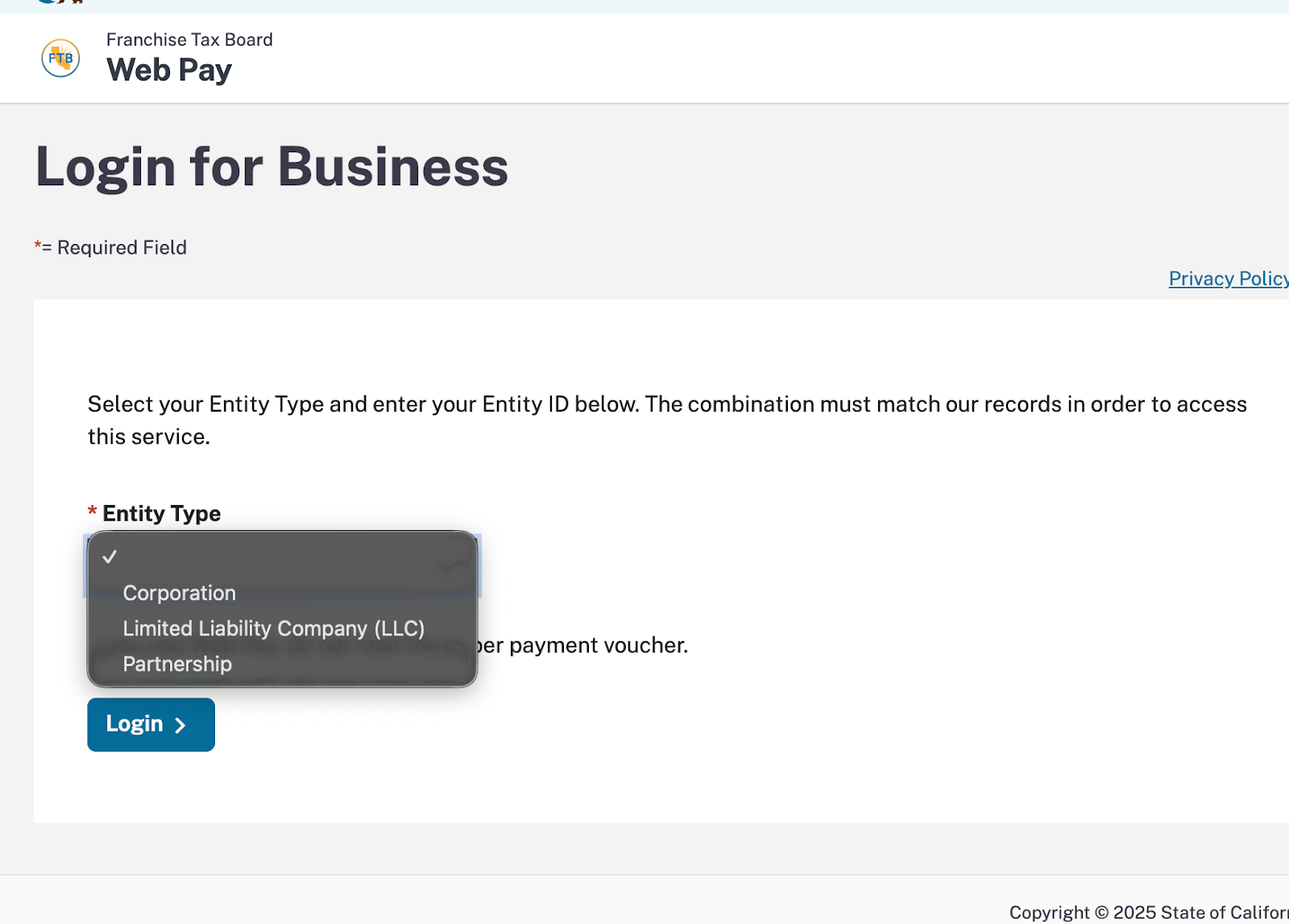
3. Enter the entity id from the above certificate which we can find here
after selecting the entity type then hit login-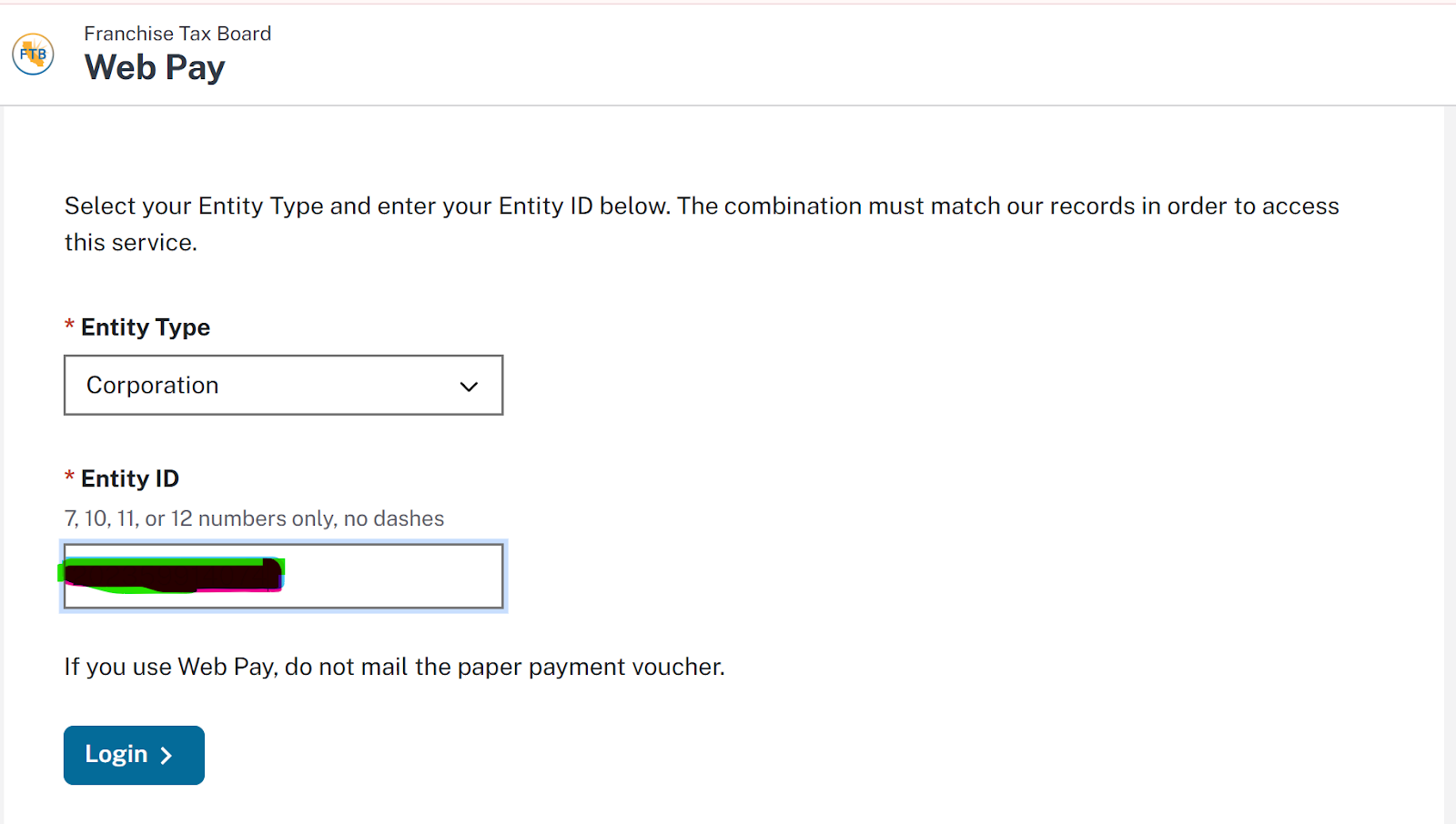
4. Enter the contact information of the person paying the franchise tax-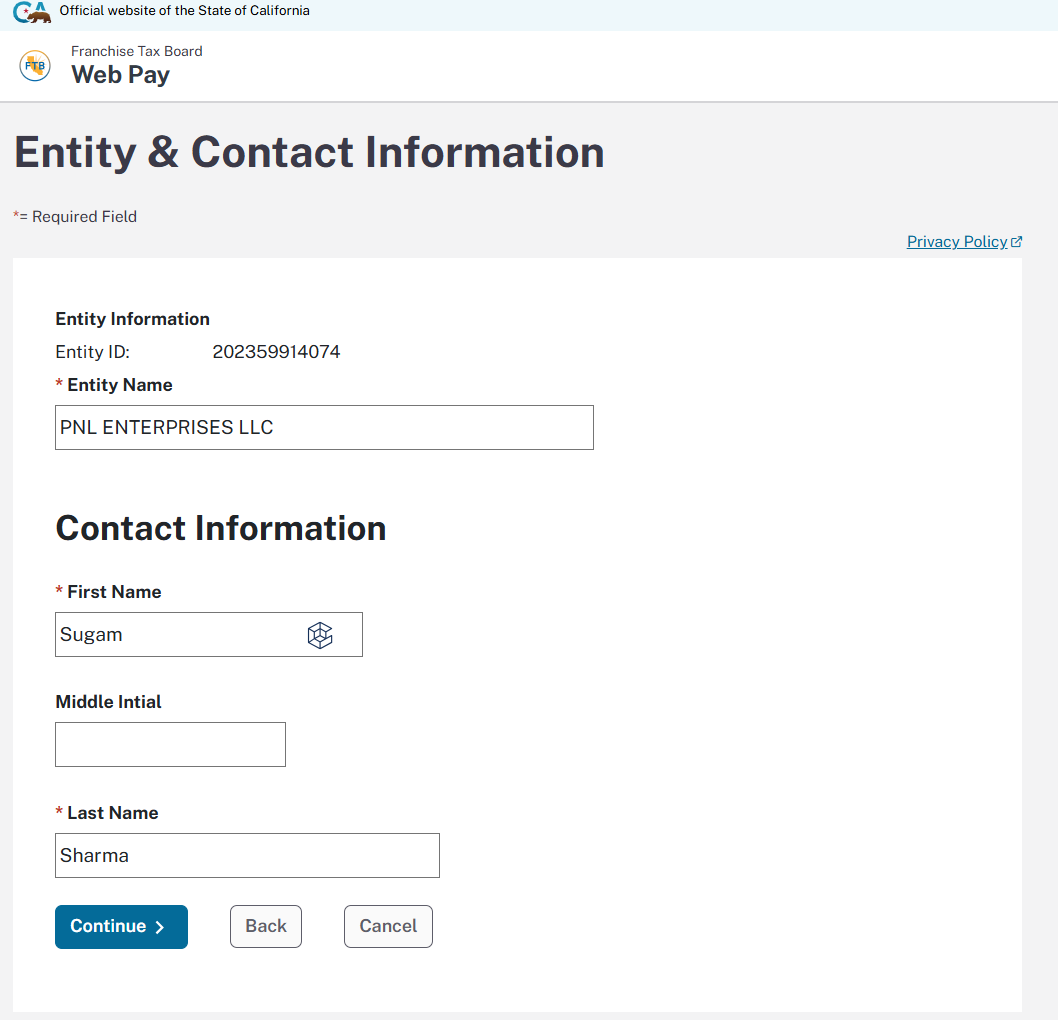
5. Select the tax return form number for corporation it will show the below mentioned options-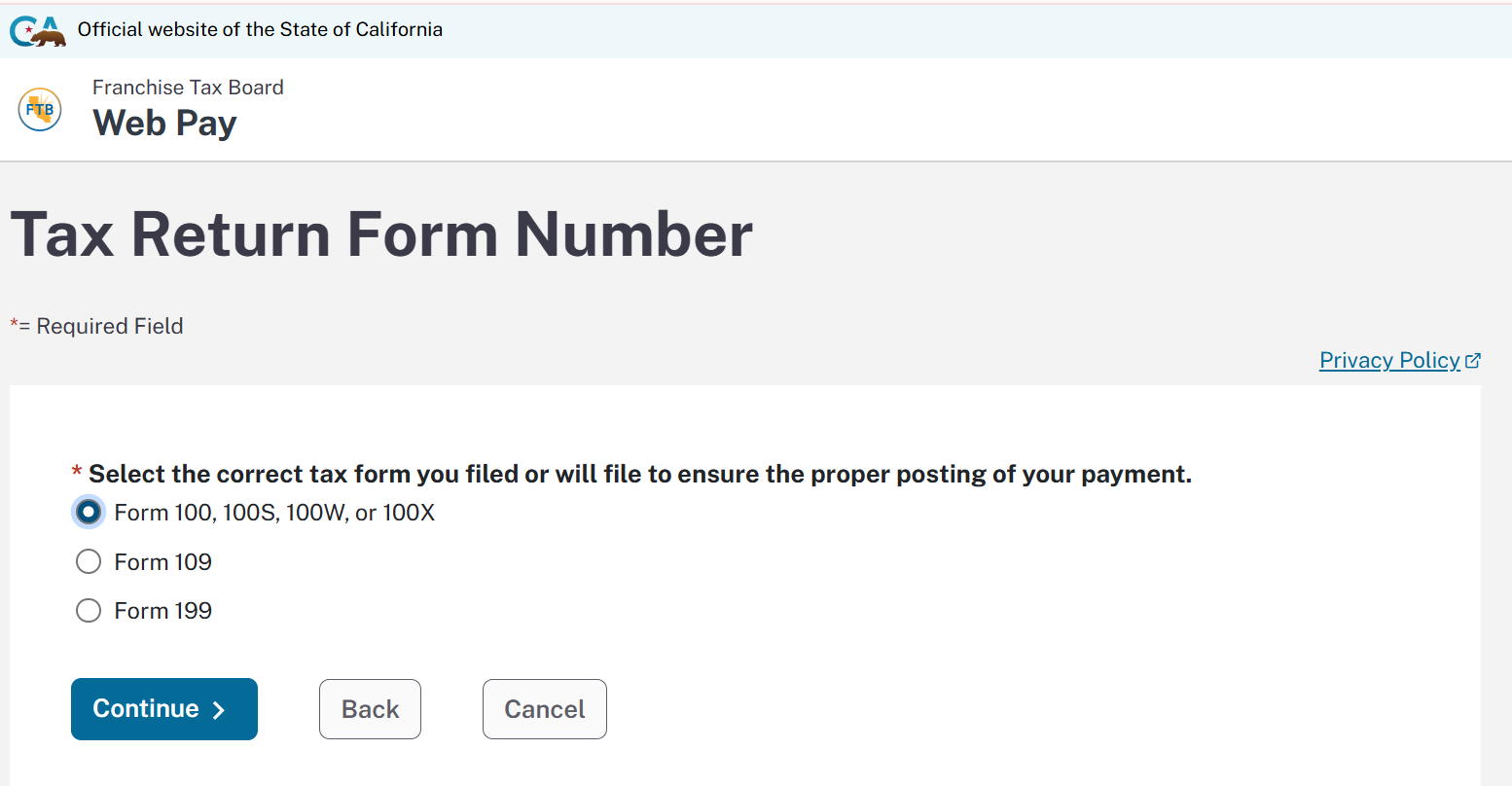
6. Select the Corporate form 100, 100S, 100W, or 100X-
a. Estimated Tax payment (Form 100ES) for payment of the current year.
b. For Next year payment we will select Original Return Payment (Form 100, 100S, 100W, or 3586)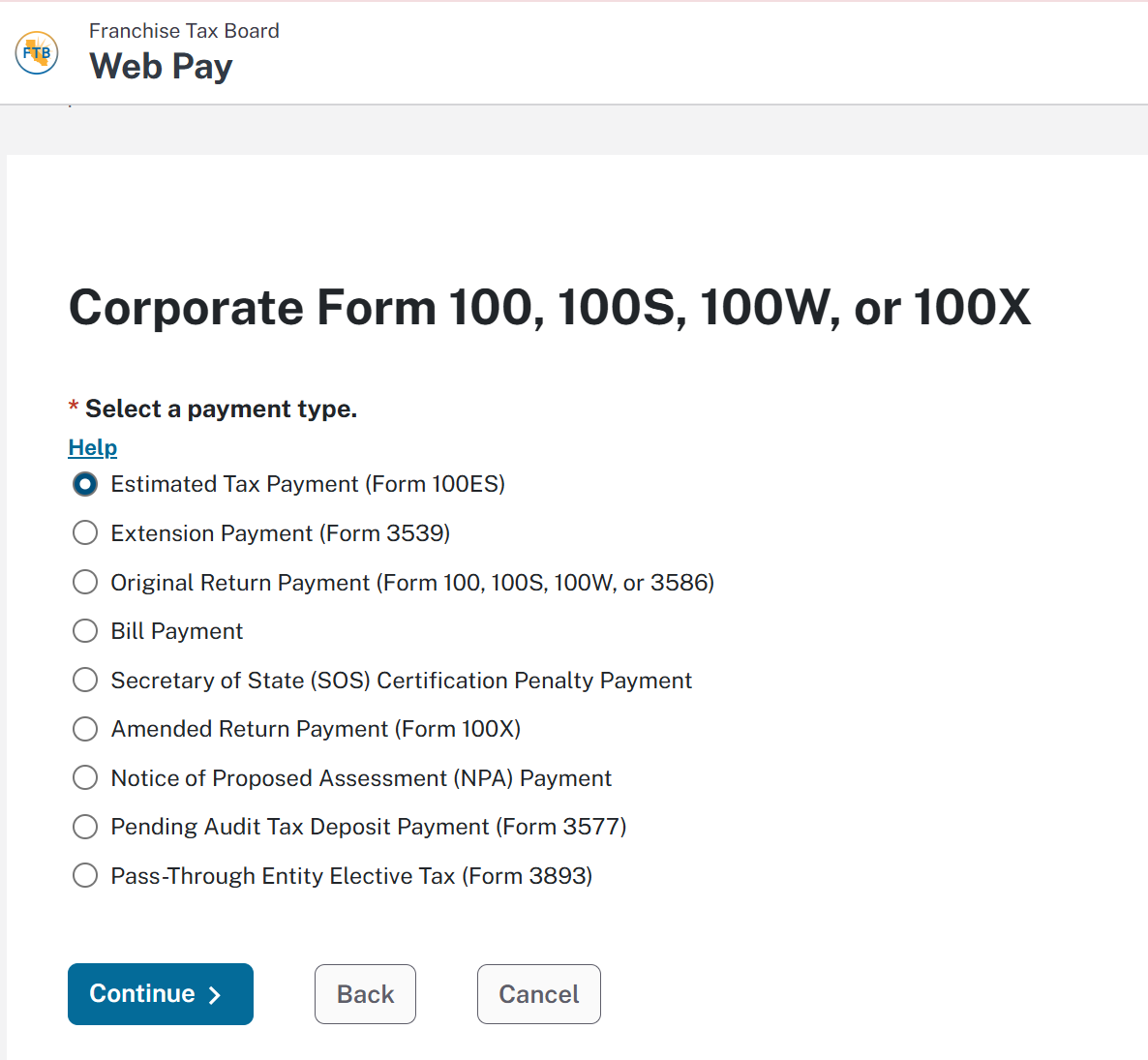
7. Select the period beginning and ending date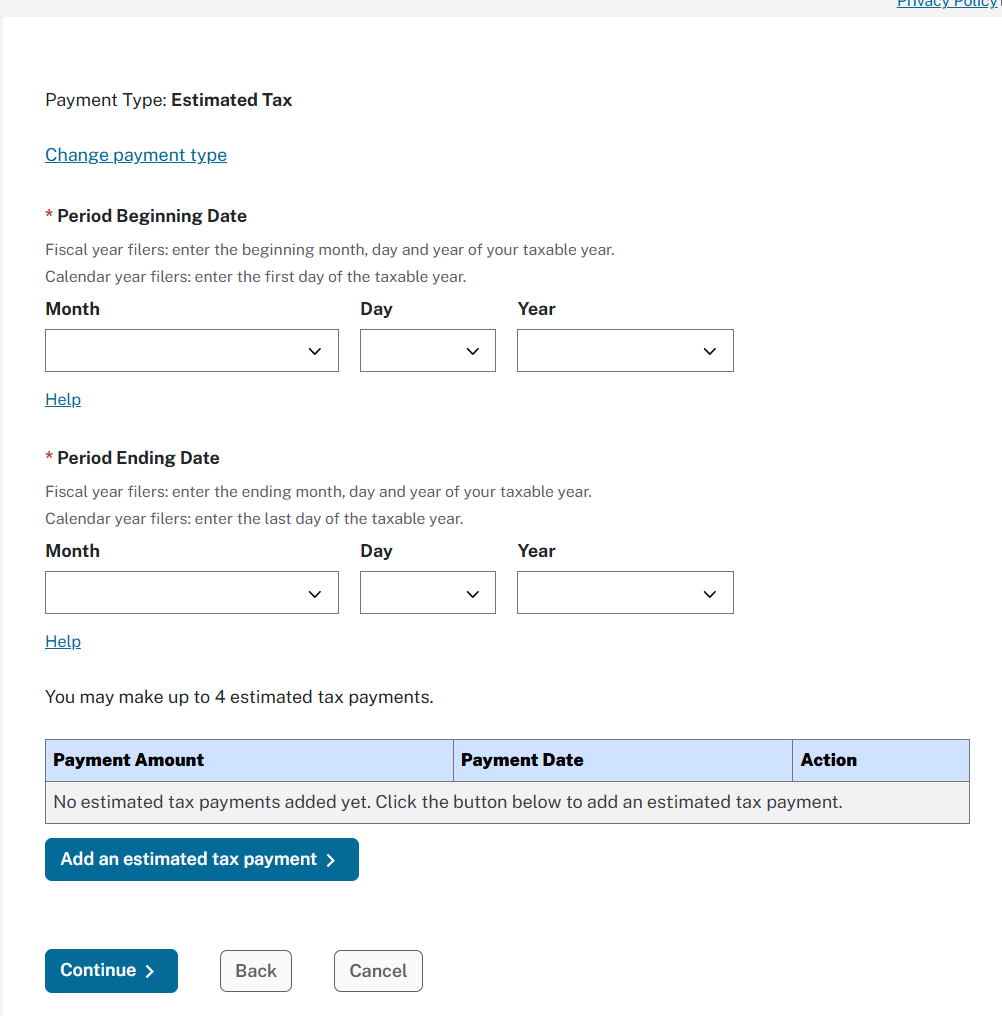
8. Enter the bank information.
9. Make the payment.